Showing posts with label HSpice Tutorial. Show all posts

HSpice Tutorial 10 - Some example Circuits and Netlist Codes

Saturday, 5 April 2014

Here are some Example Circuits and respective netlist codes for familiarizing with HSpice.

Example 2:

EE105 SPICE Tutorial Example 2 - Simple Diode Circuit
.model tut_diode d (is=1e-14 vj=0.6 rs=10)
vs vs gnd 5V
rs vs vd 5k
d1 vd gnd tut_diode
.op
.end


Example 3: ( Different analysis for same circuit above)

EE105 SPICE Tutorial Example 3 - Simple Diode Circuit
.model tut_diode d (is=1e-14 vj=0.6 rs=10)
vs vs gnd 5V
rs vs vd 5k
d1 vd gnd tut_diode
.dc vs 0V 5V 0.01V
.option post=2
.end


Example 4:

EE105 SPICE Tutorial Example 4 - Simple RC High-Pass Filter
vs vs gnd ac 1V
c1 vs vo 1nF
r1 vo gnd 1k
.ac dec 500 100 1G
.option post=2
.end


Example 5:

EE105 SPICE Tutorial Example 5 - Complicated Resistor Network
vs vs gnd 1V
r1 vs 1 1k
r2 1 2 500
r3 2 vo 800
r4 2 gnd 200
r5 1 4 1.5k
r6 4 vo 700
r7 vo 5 100
r8 5 gnd 900
.tf v(vo) vs
.end


Example 6(Pole Zero analysis for Exaample 4):

EE105 SPICE Tutorial Example 6 - Pole-zero analysis of a high-pass filter
vs vs gnd ac 1V
c1 vs vo 1nF
r1 vo gnd 1k
.pz v(vo) vs
.end


Example 7:

EE105 SPICE Tutorial Example 7 - Computing rise time
vs vs gnd PWL(0s 0V 5ms 0V 5.001ms 5V 10ms 5V)
r1 vs vo 1k
c1 vo gnd 1uF
.tran 0.01ms 10ms
.measure tran trise trig v(vo) val=0.5 rise=1 targ v(vo) val=4.5 rise=1
.end


Visit HSpice Tutorial Page(Click Here)


Read more ...

HSpice tutorial 9 - Complex analysis that can be performed

Saturday, 5 April 2014

Here is a list of other complex analysis that can be performed using HSpice.

HSpice provides many analysis options. They are:

  1. DC analysis
  2. Transient analysis
  3. Pole/Zero analysis
  4. Spectrum analysis
  5. AC small signal analysis
  6. Liner network Parameter analysis
  7. Timing analysis using Bisection
  8. Monte Carlo analysis
  9. Post layout simulation
  10. MOSFET reliability analysis
etc...............

    HSpice Advanced Manual(.pdf)


Continue Reading. Tutorial 10(Click Here)

Visit HSpice tutorial page(Click Here)

Read more ...

HSpice Tutorial 8 - Using Different active devices in netlist

Saturday, 5 April 2014


Diode Element

 Dxxx n+ n- mname <area> <initialstate>

Example: D1 1 2 diode1 10 off
Here Di is diode name, 1 is +ve terminal, 2 is -ve terminal, mnane is model name which is diode1 area is diode active area which affects your parameters which is 10 and initial state of diode is off.


 BJT Element

Qxxx nc nb ne<ns> mname<AREA=area>

Example:  Q1 1 2 3 model_1 10
Here Q1 is bjt name, 1 is connected ti collector, 2 base, 3 emitter, mname is model name i.e. model_1 and area is 10.


MOSFET Element

Mxxx nd ng ns<nb> mname<width> <length>

Example: M1 1 2 3 mosmodel W=1u L=2u
Here M1 is mos name, 1 is node connected to drain, 2 gate, 3 source, mname is mosmodel and width and length of mosfet are specified.

NOTE: The parameters inside "<>" are not necesary to be mentioned and they are extra parameters defining your model.


These models are then associated with model libraries in HSpice.

By using the respective active element mnane a model library is defined as:

.model mname <type> <level> <other specific options needed>

Examples:
MOSFET example

M1 1 2 3 mosmodel W=1u L=2u  $this is MOS element
.model mosmodel nmos level=1     $this is model library

Here, mosmodel is associated with NMOS library which is Level=1.
Levels are ranging from 1 to 60 for a MOSFET, and as the level increases non-linearity of device increases usually. Each level describes diferent MOSFET parameters.

Similar type of modeling is carried for all active devices.


Continue Reading. Tutorial - 9 (Click Here)

Visit HSpice Tutorial Page(Click Here)

Read more ...

HSpice Tutorial 7 - Getting Familiar With AVANWAVES

Saturday, 5 April 2014
For EE105 SPICE Tutorial Example 1 - Simple RC Circuit lets now see how to work in AVANWAVES and obtain simulated waveforms.


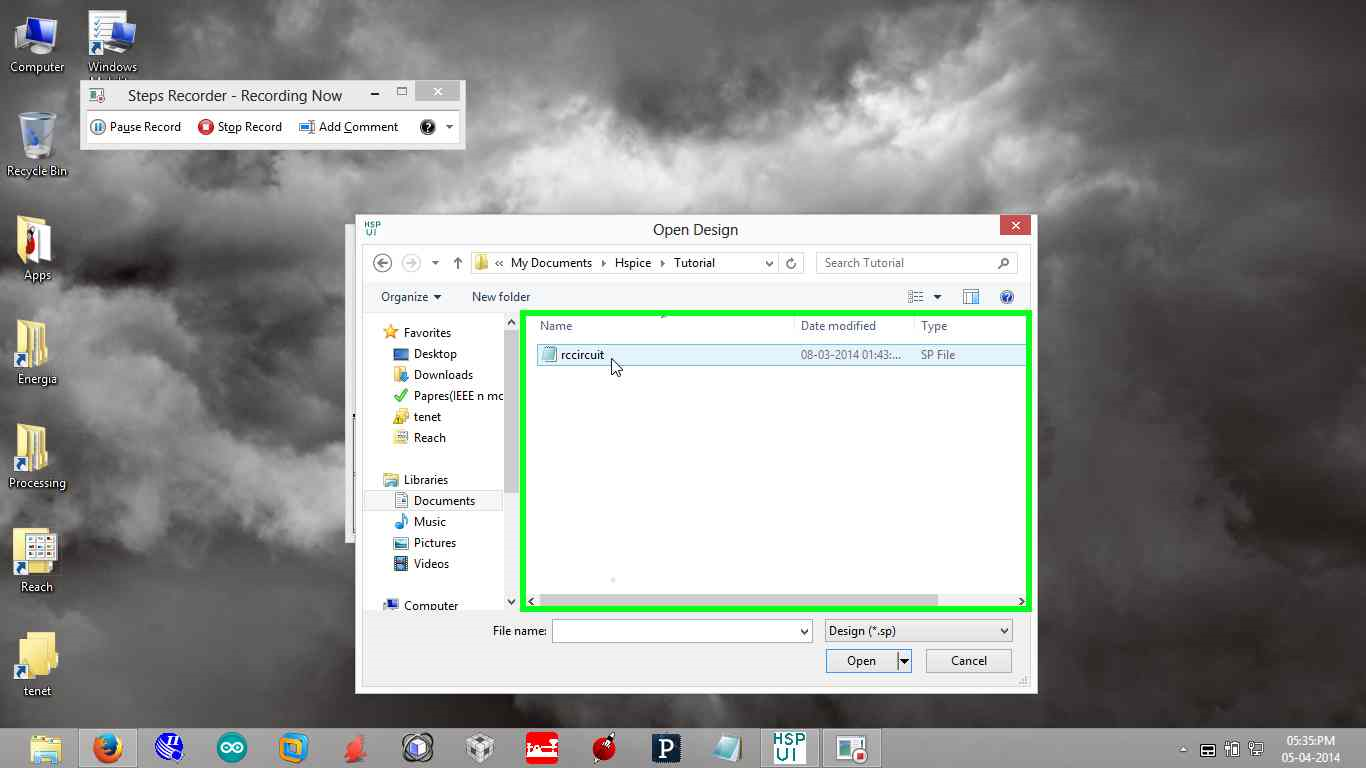
  1. Open Design 


  2. Click on Run AVANWAVES button

3.  AVANWAVES window looks like

4.  Adding Plots for better view


5.  Open result Browser Containing all simulation leads to see waveforms

6.  Add all waveforms which are of interest to different simulation output panels by selecting the pannel and then the wave to be viewed fom Result Browser

It looks like:


Continue Reading. Tutorial 8 Click Here.

Visit HSpice Tutorial Page(Click Here)

Read more ...

HSpice Tutorial 6- How to write a Simple Netlist

Tuesday, 1 April 2014

Lets get started in writing a simple netlist. In order to write a netlist we need a circuit, which is shown below:


 Let’s start with the simple RC circuit you analyzed earlier in the tutorial. So to write netlist by using steps earlier, lets make an effort to write a netlist and do transient analysis as its simple to begin with:

The node gnd is a standard name used to reference ground. You can also use the number 0 to refer to the ground node (some people like to number their nodes instead of naming them, in which case 0 may be a more natural fit). Ground is a special node in the circuit, so only use gnd or 0 to refer to the ground node. The other nodes have arbitrary names.

Netlist is as below

EE105 SPICE Tutorial Example 1 - Simple RC Circuit
 vs vs gnd PWL(0s 0V 5ms 0V 5.001ms 5V 10ms 5V)
 r1 vs vo 1k
 c1 vo gnd 1uF
 .tran 0.01ms 10ms
 .option post=2 nomod
 .end

Read more ...

ElectroWeb embedded views

Contact Form

Name

Email *

Message *

Google+